Summarize this page via
Internal linking 101 – everything you need to know for SEO and GEO success
 Jan 23, 2026
 15 minutes
How do the links on your webpages work? Do you know how to keep your audience engaged for longer? Find out everything related to internal linking in this post.
Internal links are hyperlinks that connect one page on a site to another, while being on the same domain.
Internal links are vital for both search engine optimization and the audience. For people, they act like signposts that show where to go next. For search engines, interlinking is a path for crawling that helps them understand your content.
With this guide, we will walk you through everything you need to know to build an effective internal linking strategy. We will also discuss tools you can use to save time and effort when creating your site structure.
So, let’s get started.
How do internal links work?
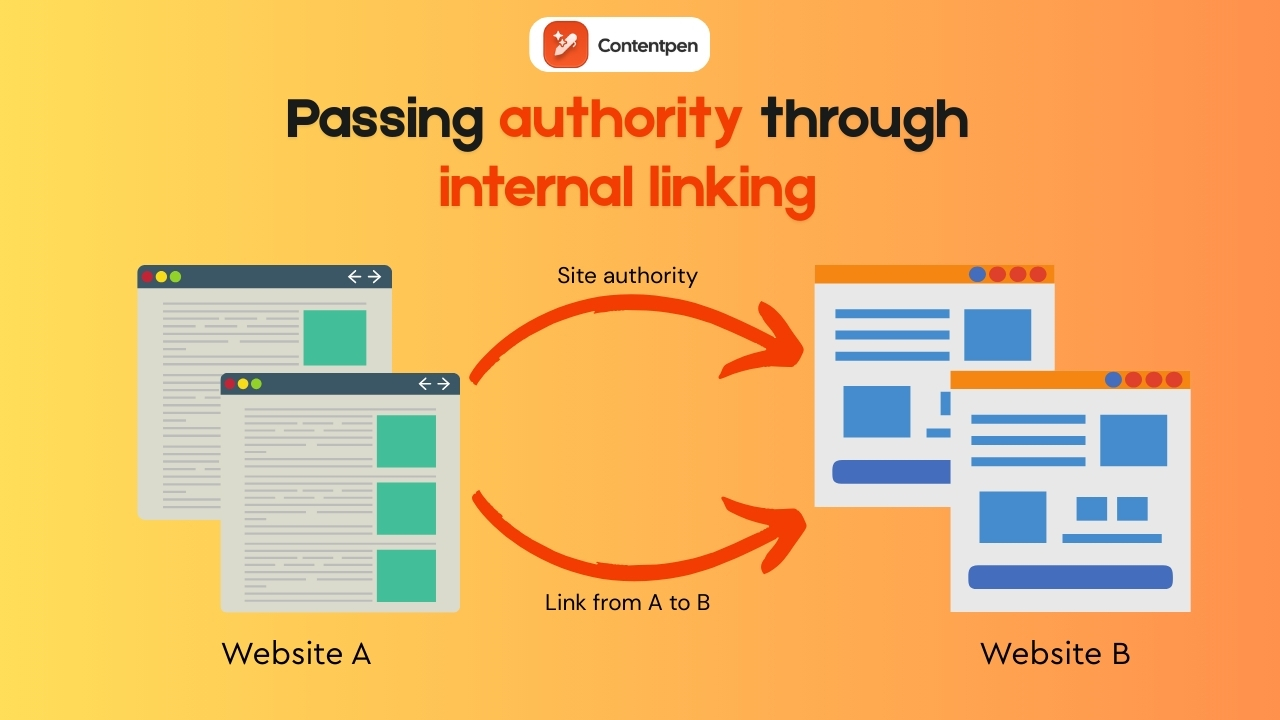
Googlebot and other search engine crawlers follow internal links to discover pages, understand how they relate to each other, and decide how often to crawl them.
Here is a simple internal link example in HTML form:
<a href=”https://www.yoursite.com/contact”>Contact us</a>
This code tells the browser to send the user from one page on your domain to another.
Good internal linking in SEO is not just about individual links. It is about how those links structure your content so people and crawlers can understand it.
Types of internal linking
The main types of internal links are:
Navigational links
These sit in the header menu, main navigation, and sometimes large sidebar menus. They point to core areas such as the homepage, service pages, pricing, and main blog categories.
Contextual links
Often called in‑text links, these sit inside the body of a post. They connect related topics, like linking from an article about external linking best practices to another guide on technical SEO basics.
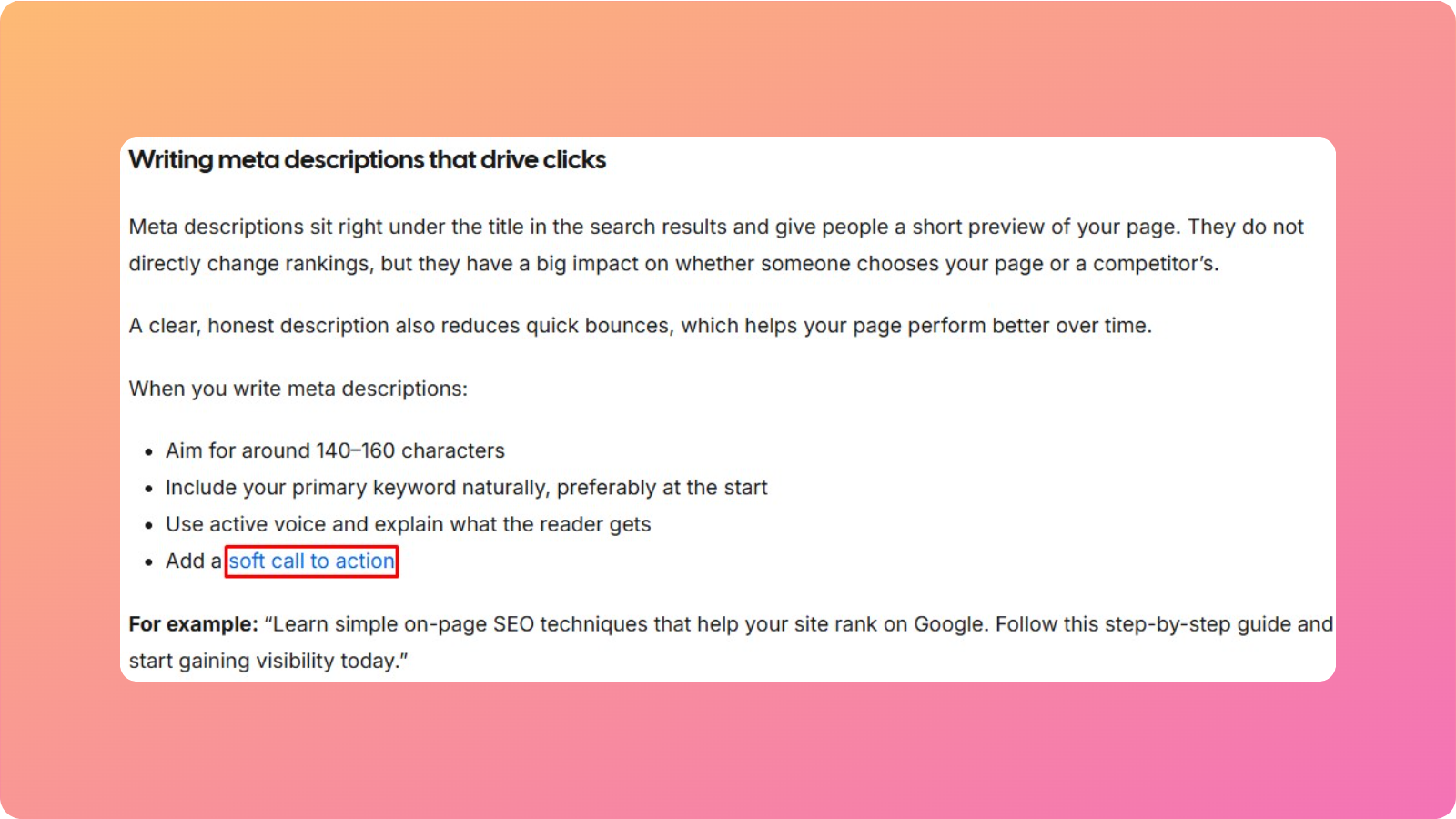
Because they live within content and carry descriptive anchor text, contextual links usually have the most significant SEO impact and do much of the work for topic relevance.
Footer links
These appear at the bottom of each page. They often point to contact pages, legal pages, FAQs, careers, or a simple HTML sitemap.
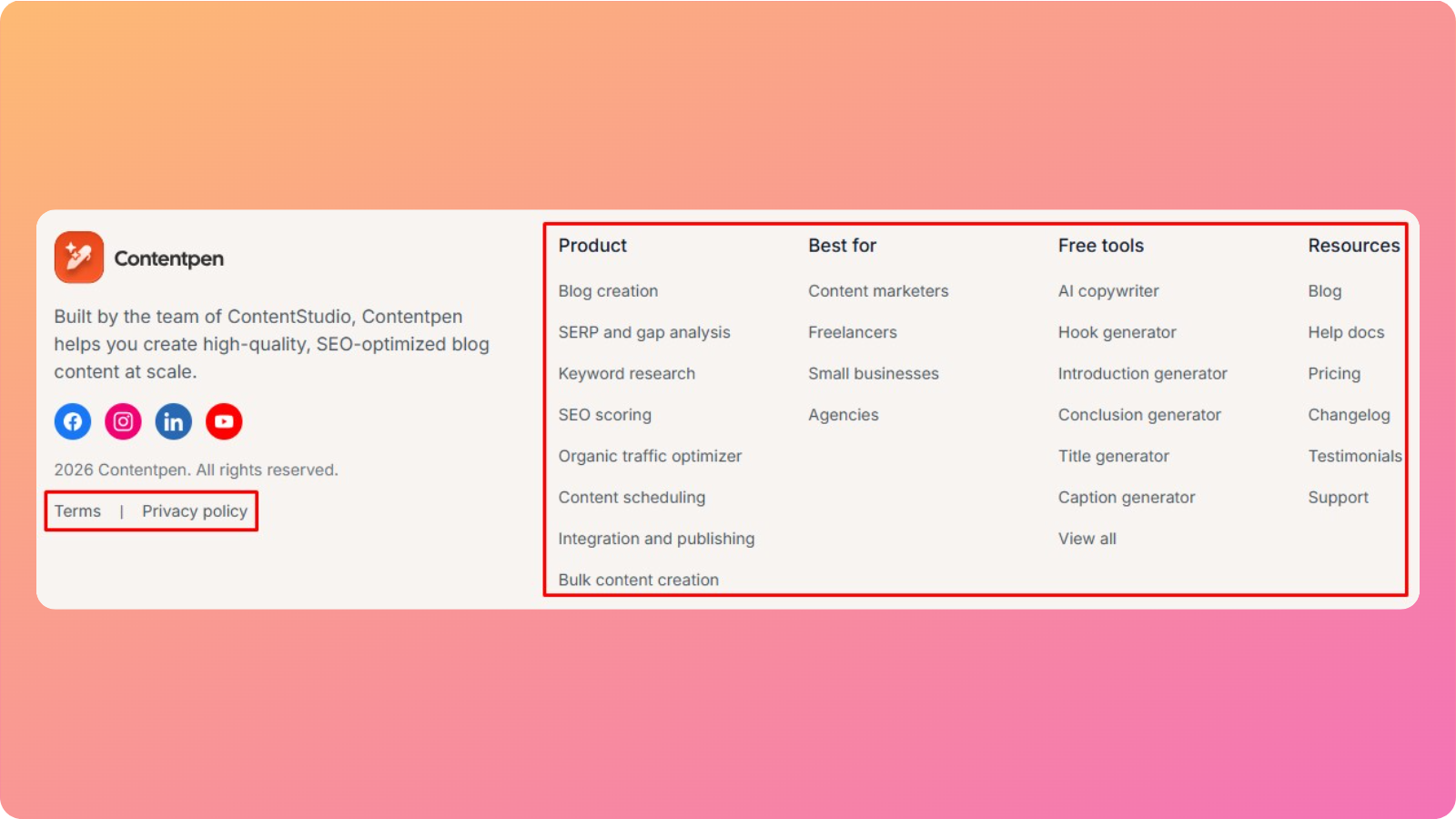
Footer links may not be as powerful as contextual links, but they still help crawlers reach supporting pages and help visitors find “boring” but important information.
Sidebar links
Sidebar blocks often show “recent posts,” “popular posts,” or “related resources.” When used well, they reduce the number of clicks required to reach deeper content and encourage visitors to view more pages per session.
For large blogs, sidebar modules are a simple way to build internal links at scale.
Breadcrumb links
Breadcrumbs show where a user is inside the site structure, in a path like Home > Blog > SEO > Internal linking. These types of internal links help visitors jump back to a higher level, and they give search engines a clear view of how categories and subcategories relate.
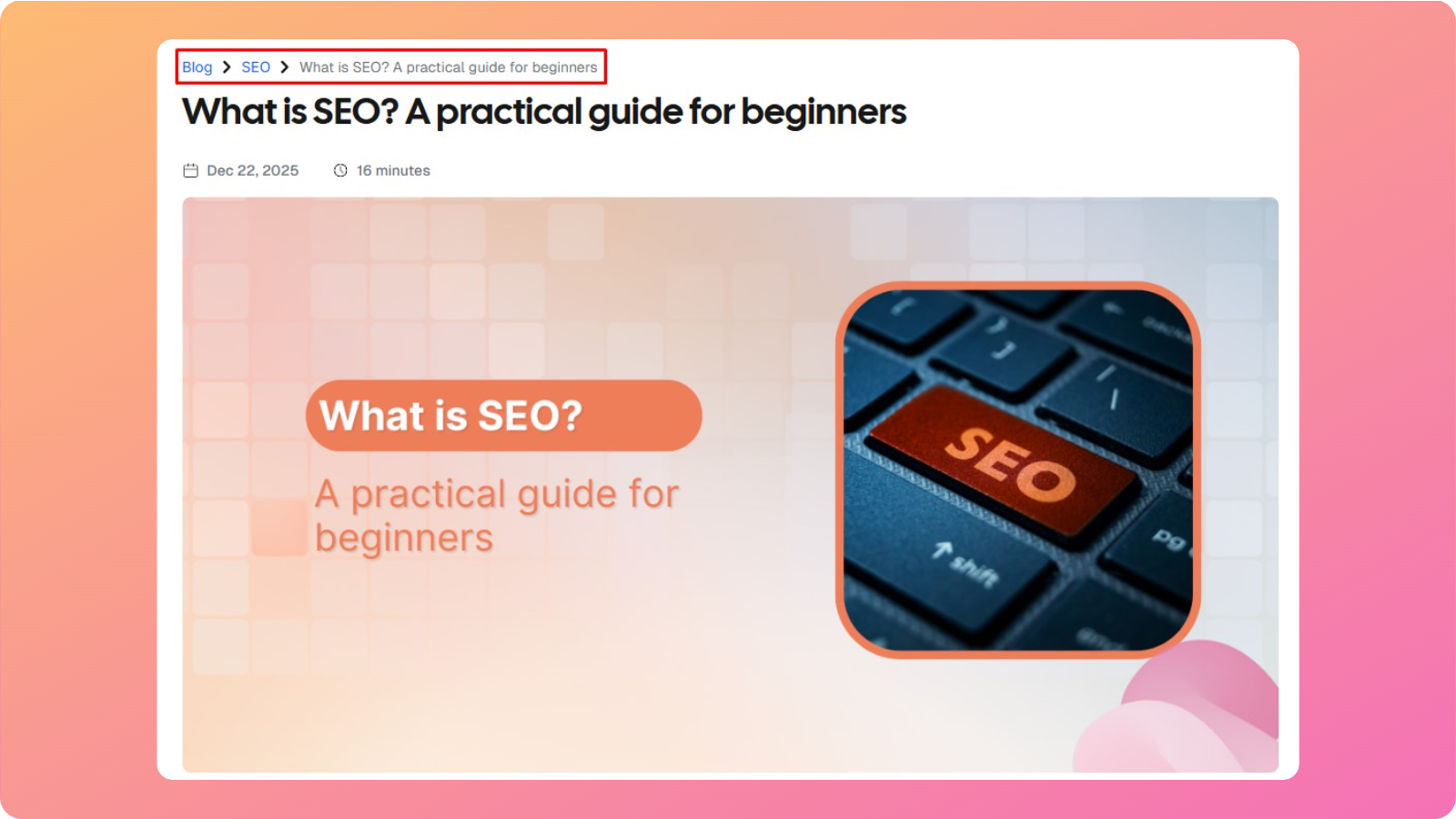
Image links
These appear when a clickable image points to another internal page. Search engines read the image alt text much like they read anchor text, so clear alt text helps them understand the target page.
Call‑to‑action (CTA) links
These are links inside banners, buttons, or in‑content prompts, such as “Book a demo” or “See pricing.” CTA links focus more on conversions than on navigation, but they still contribute to interlinking SEO strategies by tying informative content to key pages.
What is the difference between internal and external linking?
Internal and external linking both matter for SEO, but they do very different jobs.
Here is a simple comparison between them:
| Aspect | Internal links | External links |
| Domain scope | Connect pages on the same domain | Connect a page on your domain to a different domain |
| Primary purpose | Guide navigation, build site structure, and share authority within the site | Cite sources, add context, and send or receive referral traffic |
| SEO impact | Improve crawlability, spread PageRank, and strengthen topical relevance | When other sites link to you, they raise your domain’s authority. |
| Control level | Fully under your control | You control only the links you place out; backlinks from others are up to them. |
| Example | Linking from a blog about internal linking strategy to your SEO services page. | Linking from that same blog to a research article on a university site. |
External backlinks help strengthen the entire domain, while internal links decide how that strength flows through your own pages.
How to build an effective internal linking strategy
Good internal linking is not random. It is a simple, repeatable process that lines up with business goals and the way people search.
Instead of sprinkling links wherever they fit, you should design a map and add links that follow it.
The steps below work for blogs, SaaS sites, ecommerce stores, and even lean startup sites. These will help you build internal links that support conversions, build topical authority, and keep crawl paths clean as your content library grows.
Step #1: Plan your site structure and hierarchy
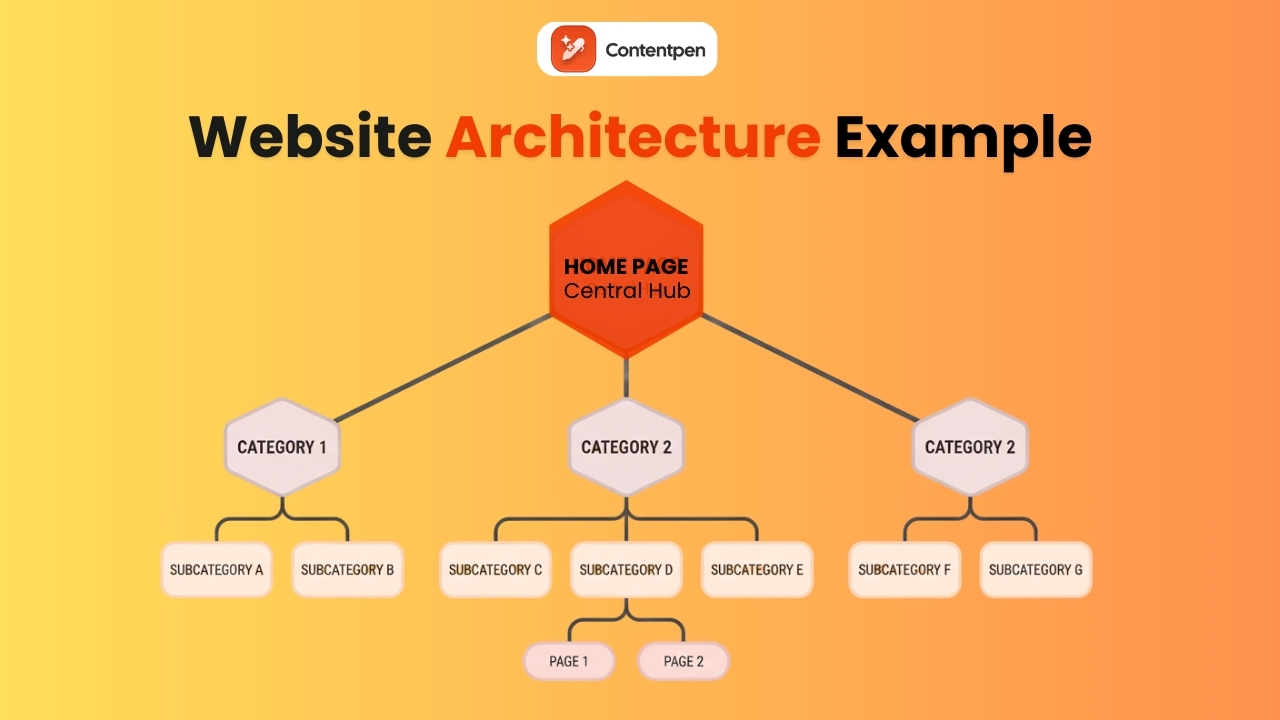
The classic site model looks like a top-down diagram. At the top is the homepage. Below that sit category or pillar pages. Under each pillar page, there are subcategories, followed by individual posts, guides, or product pages.
This structure works well because it matches how users think. People expect to start from a broad topic, then click down into more specific answers, and so on.
Search engines like the same pattern because it sends a clear signal about which pages are broad overviews and which are narrow subtopics. A good rule of thumb is to keep any important page no more than three clicks away from the homepage.
Step #2: Identify your most important pages
Not all pages are equal. A strong internal linking strategy starts by deciding which URLs deserve the most attention, both as link targets and as sources that should send links to others.
Focus on three main page groups:
- Business‑critical pages:
These include core service pages, high‑intent product pages, pricing, demo, and lead forms. If these pages do not rank or receive enough traffic, the rest of your SEO work will feel weaker than it should. - Pillar pages:
These are in‑depth resources that target broad, valuable keywords, such as “email marketing starter guide.” Pillars are ideal landing pages for topic clusters and deserve significant internal focus. - Authority pages:
See pages that have earned many backlinks or high search traffic. They are perfect sources to link to conversion pages, new content, and underperforming posts.
Once you have this list, you have a clear picture of which pages should receive more internal links and which ones can share their strength.
Step #3: Implement the pillar‑cluster content model
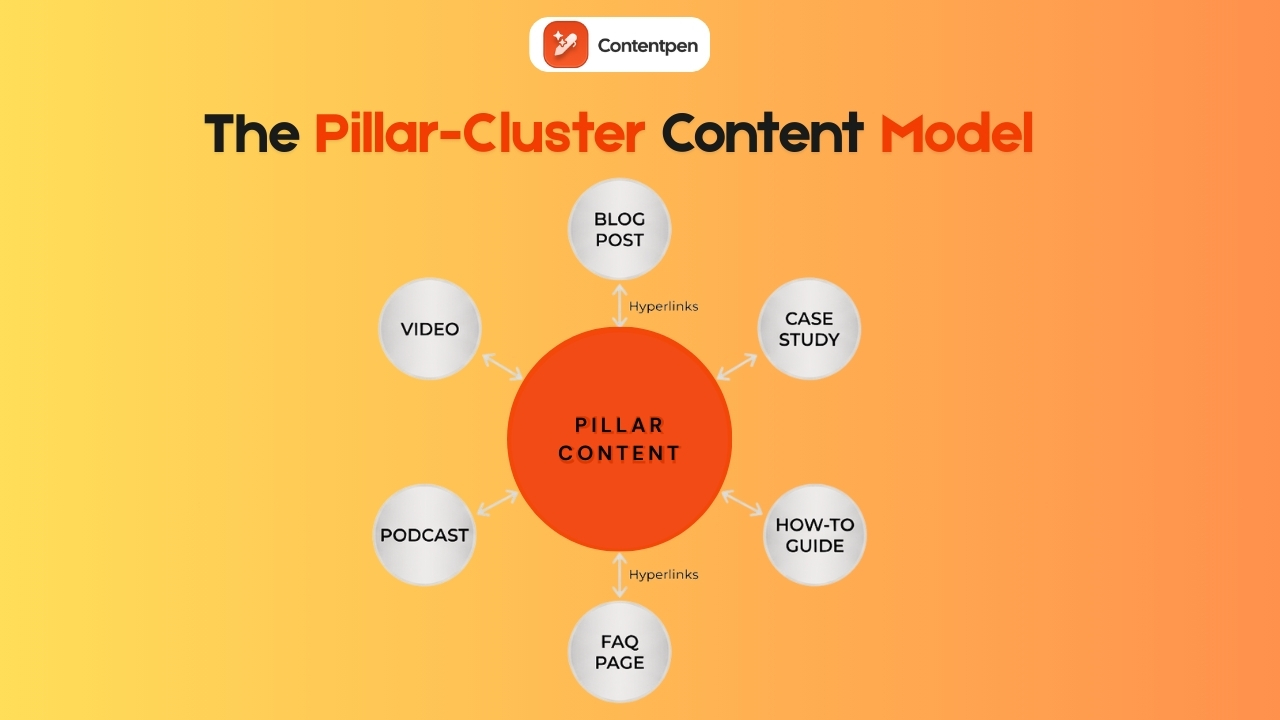
The pillar‑cluster model is one of the clearest ways to organize content and internal links for SEO and GEO. It makes the site easy to navigate while also sending a strong topical signal to search engines and AI systems.
A pillar page is a broad, comprehensive coverage of a core topic. For example, what is content marketing can serve as a pillar for future articles in the same niche.
Pillars give readers a big‑picture view, cover main subtopics, and answer common high‑level questions. They are often long‑form content and are meant to rank for competitive keywords.
Cluster content consists of more detailed posts, videos, or other content types that cover specific angles of the pillar topic. For a pillar, clusters might include:
- Blog posts. For example, the post “30 recent innovative marketing examples” appears as a cluster under the pillar ‘What is content marketing.’
- Videos
- Podcasts
- How-to guides
- FAQ pages
- Case studies
The linking pattern is simple but powerful:
- The pillar links out to every cluster page with descriptive anchor text.
- Each cluster links back to the pillar.
- Sibling clusters interlink when it is genuinely helpful.
This creates a tight web of content around a single, broad topic, helping search engines understand that your site covers the subject in depth.
Step #4: Link strategically from high‑authority pages
Some pages on a site carry far more SEO weight than others, usually because they have earned many external backlinks or strong search traffic. These pages are internal linking gold. They are where you can pass authority to other important URLs with just a few new links.
To utilize your high-authority pages for better internal linking, you can:
- Use tools like Ahrefs or Semrush to list pages with the most organic traffic
- Review those pages and look for natural places to add links
- Include key service pages, new cluster posts, or other target pages identified
However, if adding links manually in the content is challenging for you, try to automate internal linking with Contentpen. Our tool intelligently identifies the best, most high-authority pages on your site using your sitemap and adds internal links to your content by itself.
Step #5: Support every new piece of content
Every new article, product page, or resource needs support from day one. Publishing without adding internal links is like putting a book on a library shelf with no index. It might get found, but chances are low.
Right after publishing a new page, identify three to five older but relevant posts that could link to it. A quick way to find these pages is with a Google search using the site operator.
For example, type site:yourdomain.com “internal linking” into Google to find all your previous pages where that phrase already appears.
Open the best matches and add natural, contextual links to the new page referencing the old posts.
This habit prevents orphan pages and speeds up indexing. It also gives the new content a base level of authority from day one.
Why internal linking matters for SEO and GEO success
Google representatives have described internal linking as one of the best ways to guide Google and visitors to important pages on a website.
In modern SEO and GEO, internal linking does even more. By connecting related articles and resources, you create a mini knowledge graph on your domain.
Then, the AI systems use internal links to understand how concepts connect, which pages cover core ideas, and which content shows depth. That makes internal linking one of the few on‑page SEO tactics that support both classic rankings and future AI‑driven visibility at the same time.
By performing internal linking for your pages, you can:
Improve crawlability and indexing for your pages
Internal linking improves crawlability and indexing. Search engine bots move through the web by following links. If pages are well connected, bots find new content faster and revisit important URLs more often.
When a page has no internal links, it can become an orphan page, stuck outside the standard crawl path. That page may sit unindexed or rarely updated in search results, even if the content is strong.
Distribute link equity throughout the platform
Smart interlinking in SEO helps distribute link equity and authority.
Most sites receive the bulk of external backlinks to a small set of pages: the homepage, a few top articles, maybe a pricing page. By adding contextual links from high‑authority pages to key pages, you pass some of that strength along and help them rank better.
Establish a proper site hierarchy
Internal linking helps search engines read the site’s hierarchy. When the homepage links to category pages, and those categories link to detailed posts, then Google sees a clear “parent and child” relationship.
Enhance user engagement
Internal linking also helps improve user engagement. When visitors always have a clear, relevant next click, they stay longer, view more pages, and are more likely to convert.
AI overviews and search engine results also show your pages more often if they’re tied together with sensible internal linking and cover the information required directly.
Internal linking best practices for maximum impact
Once the structure and priorities are clear, it is time to focus on how to place internal links to help both users and search engines.
Use descriptive, keyword‑rich anchor text
Anchor text is the clickable text of a link. Internal linking should give readers and search engines a clear idea of what to expect on the linked page.
So, instead of vague phrases, use specific wording. You can also use keyword variations or long-tail versions to get descriptive anchor texts.
As an example, consider a page about internal linking strategy. It might have anchors like:
- SEO internal linking strategy
- How to plan internal linking
- Internal link structure guide
Mixing related phrases like this feels natural to readers and gives search engines extra context without sounding spammy.
Avoid duplicate anchor text for different pages
Using the same anchor text to point to different URLs can confuse search engines. If two pages both receive links with the anchor “SEO services”, Google has a harder time knowing which page should rank for that phrase.
When every key page has its own set of descriptive anchors, search engines can map keywords to URLs more confidently. That clarity reduces the risk of your own pages competing against each other.
Prioritize placement and position
Where you place an internal link on a page matters almost as much as what it says.
Try to place at least one important internal link early in the content, as many users never scroll to the very bottom. This is especially true for links pointing to high‑value targets, such as pillar or key conversion pages.
Linking from cornerstone content is also important. Your strongest guides should both link out to many related pages and receive links from other relevant posts.
Use “dofollow” links (avoid nofollow)
By default, links are dofollow, which means search engines can crawl them and pass PageRank through them. For internal linking, that is exactly what you want. Internal links exist to share authority across the site and guide crawlers.
If an internal link has a rel=”nofollow” attribute, it acts like a blocked road for authority. Search engines can still see the link, but they are told not to pass value through it.
Therefore, you should use nofollow for certain external links, such as untrusted user‑generated content or third-party content that you do not endorse.
Don’t overdo it: Prioritize quality over quantity
There is no perfect number of internal links per page. Google can crawl hundreds of links on a single page, but that does not mean people want to see them. A page full of links can feel noisy, and each link may receive less attention and less authority.
Focus on the quality and relevance of internal links rather than hitting a specific count.
As a general rule of thumb, use about 2-5 strong contextual internal links in blog posts of about 1,000 to 1,500 words. That said, longer posts can include as many links as needed to clearly justify and explain the topic.
If a page starts to look cluttered, review all internal links and remove those that are outdated, duplicated, or only loosely related.
How to automate internal linking using Contentpen
While dedicated SEO tools are suitable for internal linking analysis, they will not place the links into your content.
This is where our AI blog writer comes in. It simplifies the linking process by automatically adding contextual, high-quality internal and external links to your content as you write, saving ample time and resources.
With Contentpen, you can also add internal links to articles that you’ve already written or produced in your pipeline.
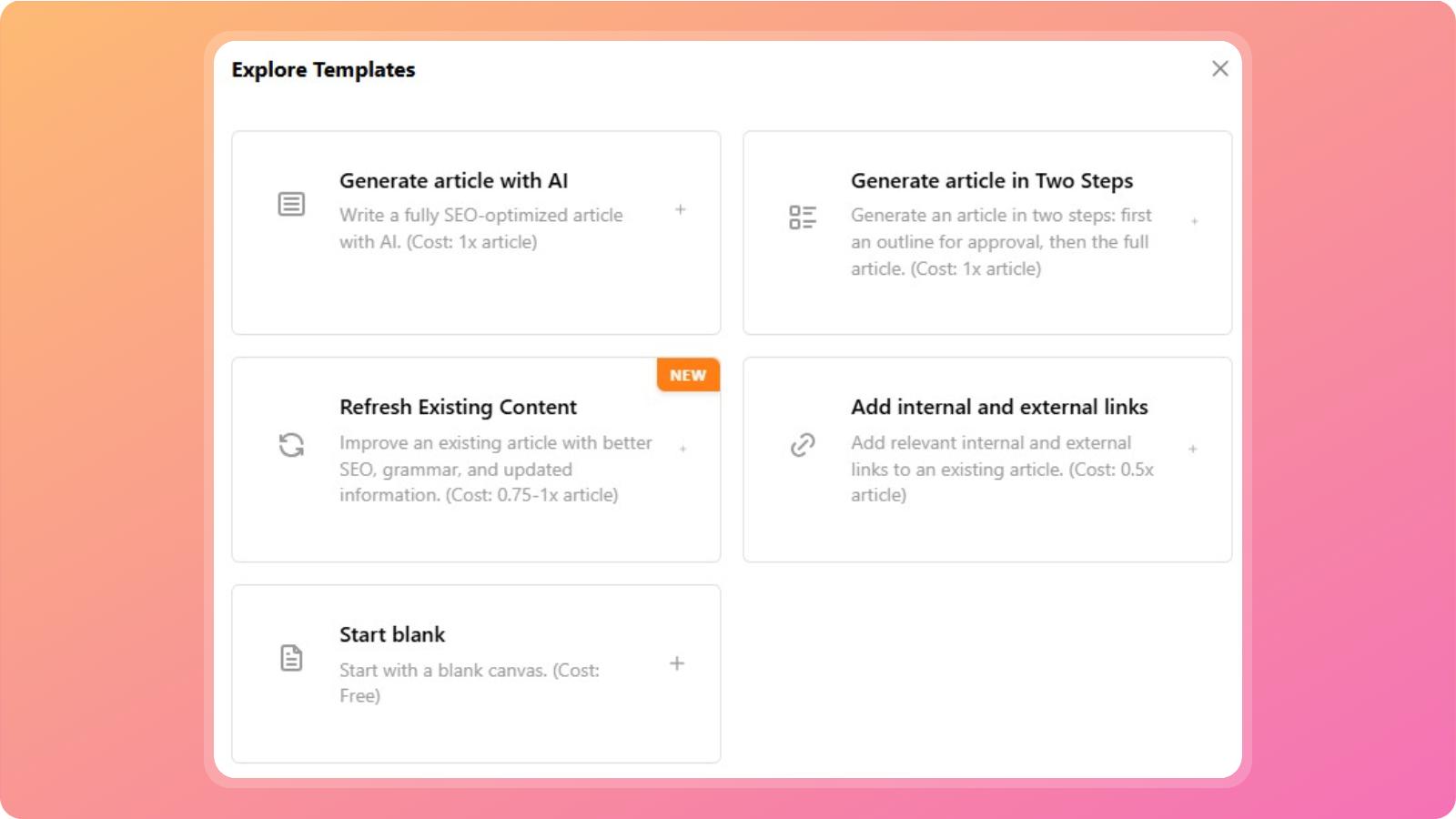
For this method to work, simply create a new article and select the ‘Add internal and external links’ template button. Enter your focus keyword and main title, and start uploading your content for effective interlinking.
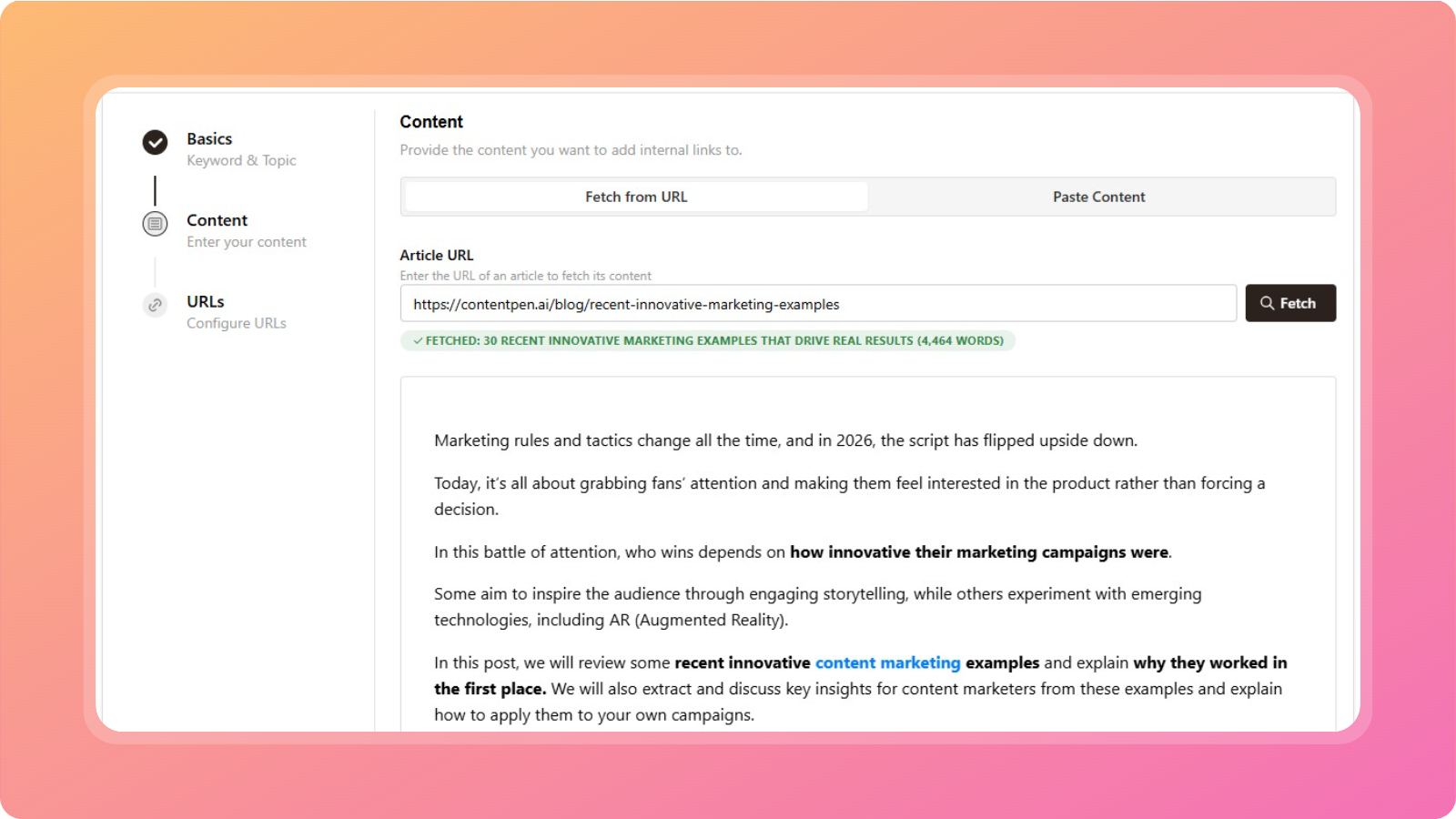
Upload the required content either through the article URL or by pasting text into the box. After this, the AI blog writing tool will automatically add internal links with highly relevant anchor text and natural placements.
Once the process is finished, you can click the newly added internal links in your blogs to open more options. Here, you can change the link text and URL or remove them completely.
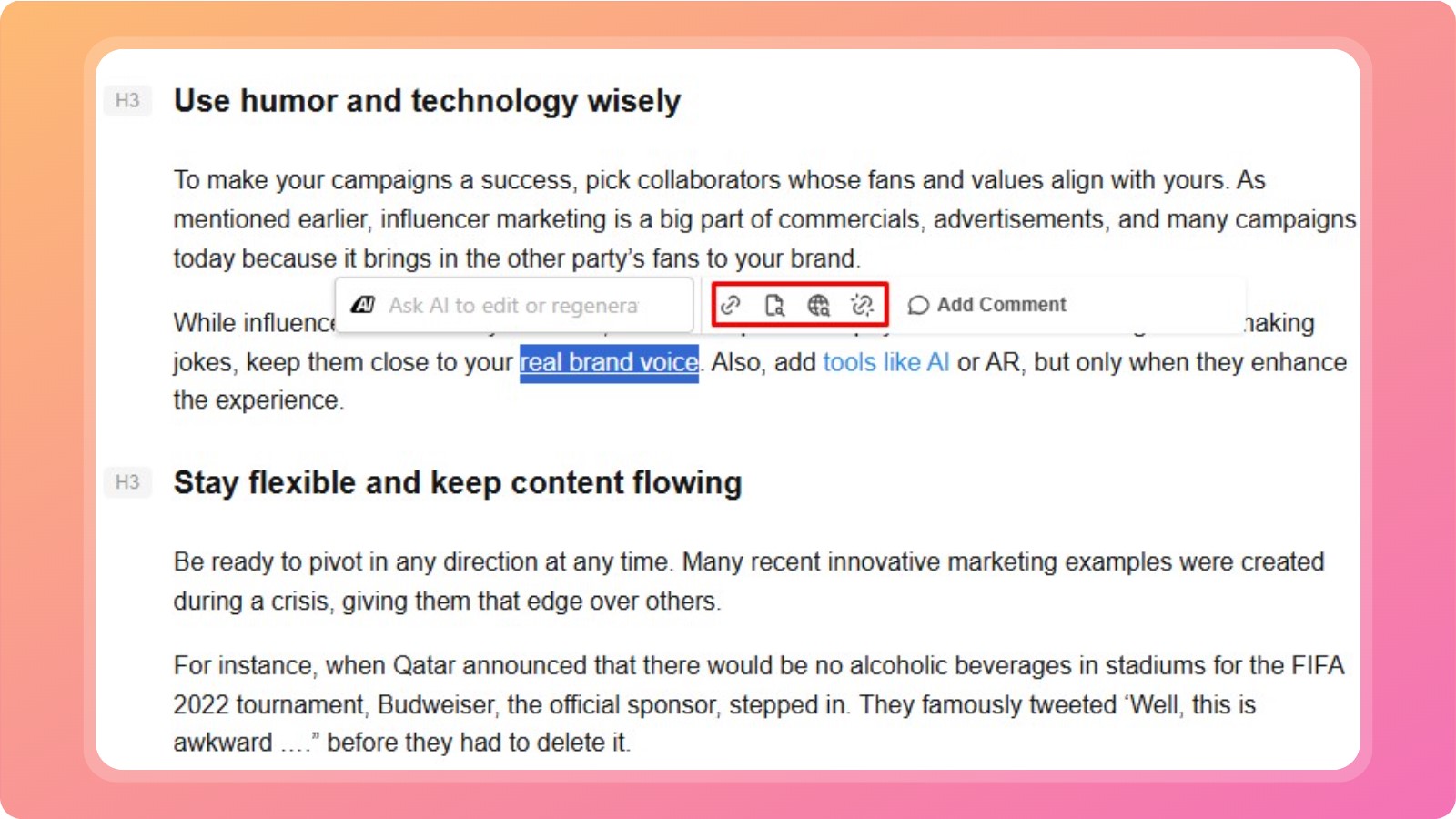
You can also click on ‘Find internal links’ to surface more relevant pages from your site, granting you full control over your interlinking efforts.
Summing it Up
Internal linking is an effective SEO strategy that guides search engine crawlers through your pages and makes it easier for users to navigate your platform.
Having said that, many professionals still struggle to implement effective internal linking best practices, resulting in orphan pages, high bounce rates, and more.
This guide was written to help individuals, agencies, and businesses rank higher in SERPs and AI overviews, making their platforms SEO- and GEO-ready with minimal effort.
In the end, we also saw how Contentpen can help automate internal and external links, further simplifying this process for your convenience.
FAQs on internal linking
One example could be linking from a blog post about keyword research to a related page, such as an on-page SEO guide. Always remember to use descriptive anchor text while interlinking.
Internal linking on a website means connecting different pages within the same domain using hyperlinks. A website where pages are intentionally connected through internal links to support navigation, crawling, and content hierarchy is likely to rank higher than others.
You can use exact-match anchor text, but do so sparingly. Prefer natural variations to avoid over-optimization and keyword cannibalization.
Deep links point to internal pages beyond the homepage or category level. Shallow links point to top-level pages, such as the homepage or main categories.
You can find internal linking opportunities by using a mix of manual checks and SEO tools. For faster and scalable execution, use Contentpen to automatically scan your sitemap, identify relevant linking opportunities, and insert natural internal links into both new and existing content.
Subscribe to our newsletter

Join our subscriber list to get the latest blogs, product updates, and industry news!
By subscribing you agree to our terms of service and privacy policy.
You might be interested in...
Internal linking 101 – everything you need to know for SEO and GEO success
How do the links on your webpages work? Do you know how to keep your audience engaged for longer? Find out everything related to internal linking in this post. Internal links are hyperlinks that connect one page on a site to another, while being on the same domain. Internal links are vital for both search […]
Jan 23, 2026
What are SEO backlinks and how do they work?
Backlinks remain one of Google’s most influential ranking factors, yet they’re also one of the most misunderstood concepts. While many site owners focus on publishing content, few know how backlinks actually work. SEO backlinks are links on other platforms that point to your website. In terms of SEO, they’re like votes of credibility that help […]
Jan 14, 2026

What is off-page SEO? Expert strategies you can use today
Picture a content marketer who spends weeks planning, writing, and polishing a great blog post. The keyword research looks solid, headings are on point, and internal links are tidy. The post goes live, everyone feels proud, and then the traffic graph barely moves. The reason for this debacle is the lack of a proper off-page […]
Jan 8, 2026